


Apple just announced the M5 Pro and M5 Max MacBook Pro lineup. The marketing materials say "up to 50% faster GPU" and "up to 4x faster AI performance." The reality is more interesting than the headline numbers. It always is.
The TLDR
For those of you who just want the verdict:
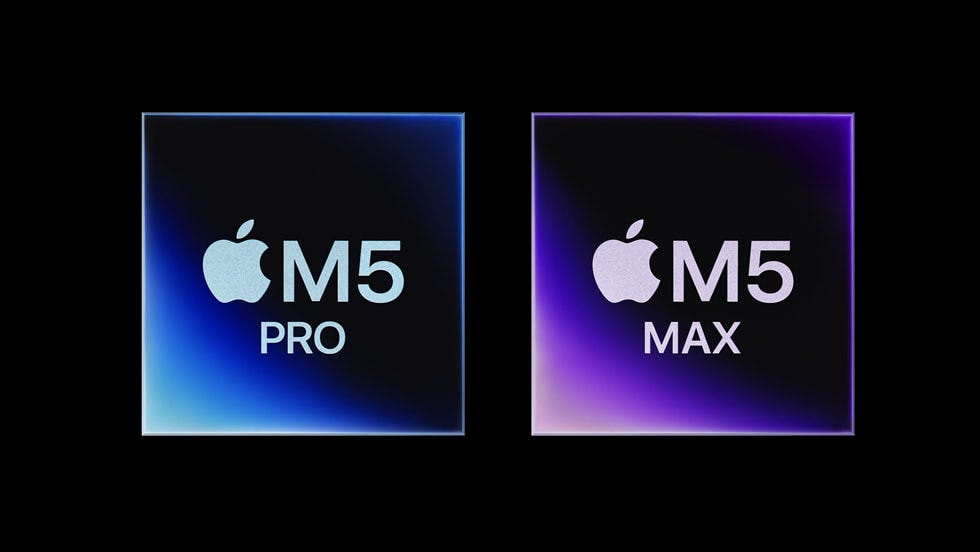
The M5 Pro and M5 Max are built on a new “Fusion Architecture” that combines two dies into a single chip. You get more CPU cores (renamed from “performance” to “super” cores, because branding), meaningfully faster GPU with new Neural Accelerators baked into every graphics core, up to 64GB of unified memory on the Pro (was 48GB), and double the base storage. All of that comes with a $200 price increase across the board, though the doubled SSD partially justifies it.
If you own an M1 or M2 MacBook Pro, this is a compelling upgrade. If you bought the M4 Pro six months ago, close this tab and go enjoy your laptop.

The chip: Fusion Architecture explained
Six years of Apple silicon, and the M5 generation is the first real architectural departure since the M1.
The headline change is what Apple calls “Fusion Architecture.” Instead of one monolithic die, the M5 Pro and M5 Max combine two separate dies into a single system-on-chip package: CPU cores on one die, GPU cores and Neural Accelerators on the other, connected fast enough that software doesn’t need to know or care. Two specialists sharing a desk instead of one generalist doing everything.
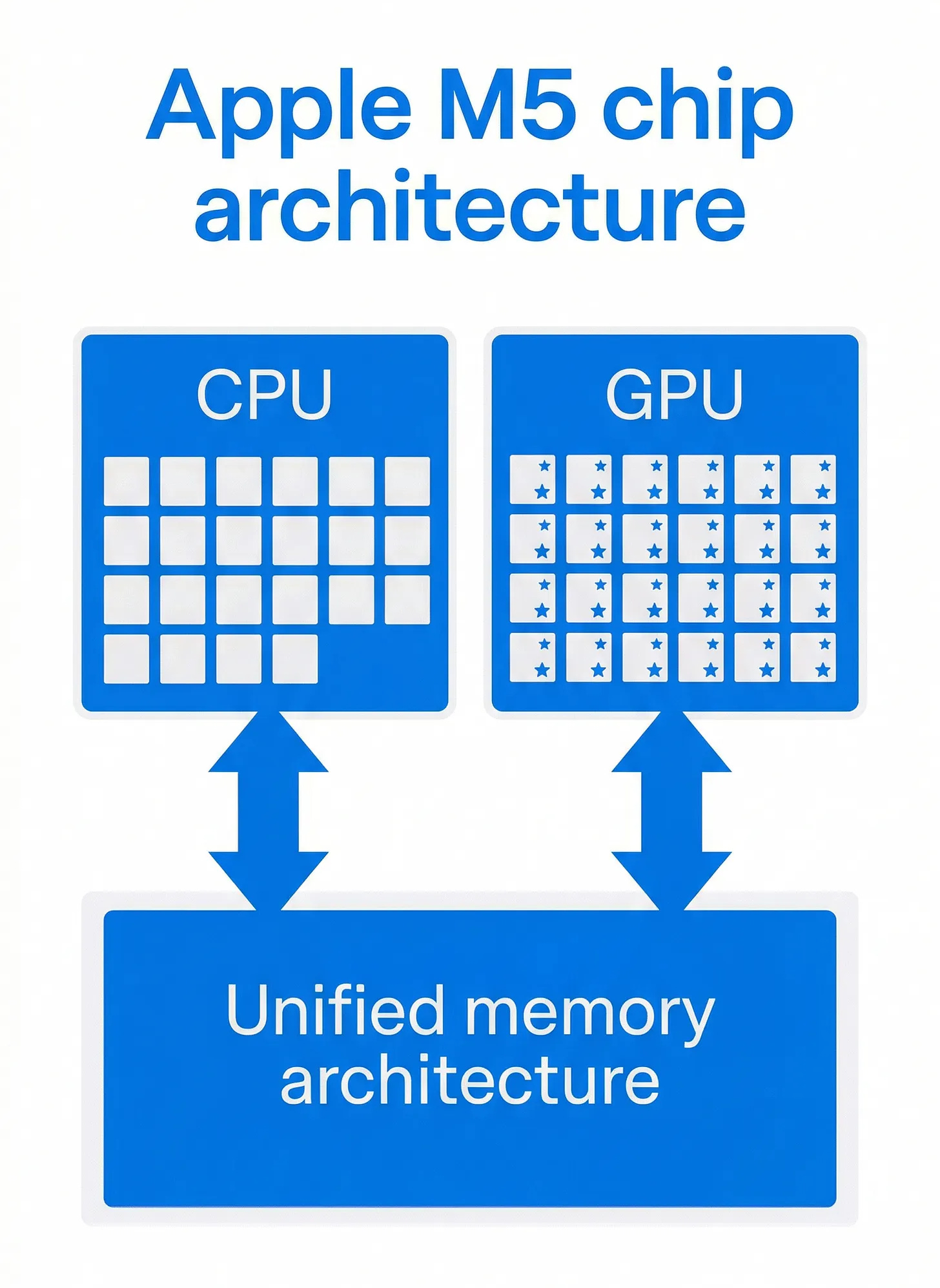
AMD has been building server chips this way for years (they call theirs “chiplets”), but it’s new for Apple’s laptop silicon. The practical benefit: Apple can optimise each die independently and yield more working chips per wafer. The practical risk: the connection between dies adds latency. Apple clearly thinks they’ve solved that. Given their track record with unified memory architecture, I’m inclined to believe them. (I’ve been wrong about Apple’s packaging claims before. Hasn’t happened yet, but I keep waiting.)
The M5 Max scales the same concept further: more GPU cores, higher memory bandwidth, and support for up to 128GB of unified memory. If the Pro is a well-equipped workshop, the Max is the whole factory floor.
CPU: more cores, new names
Apple loves renaming things. The M4 Pro had “performance cores” and “efficiency cores.” The M5 Pro has “super cores” and “performance cores.” Same silicon hierarchy, new labels; Apple just shifted everything up one notch.
Once you get past the rebranding:

M5 Pro base config: 15-core CPU with 5 super cores and 10 performance cores
M5 Pro upgraded config: 18-core CPU with 6 super cores and 12 performance cores
M4 Pro base config: 12-core CPU (8 performance + 4 efficiency)
M4 Pro upgraded config: 14-core CPU (10 performance + 4 efficiency)
That’s 12 to 15 cores at the base level, with Apple claiming up to 30% faster CPU performance. In practice, expect noticeable gains on sustained multi-threaded work: compiling large codebases, video encoding, running multiple Docker containers. Single-threaded improvements will be more modest, probably 10-15% based on historical patterns.
The M5 Max gets the full 18-core CPU as its only configuration, up from the M4 Max’s 14-core or 16-core options.
Will you feel 30% faster in daily use? Probably not. Your browser, email, and Slack were already instant on the M4 Pro. The gains show up when you push the machine hard for sustained periods.
GPU: Neural Accelerators are the real story
Apple claims 50% faster graphics on the M5 Pro versus the M4 Pro. That number deserves the usual scepticism, but the architectural reason behind it is solid. Every GPU core in the M5 now contains a Neural Accelerator. This is new. The M4’s GPU cores were general-purpose graphics processors; AI workloads had to either run on the dedicated Neural Engine (16 cores, good for specific tasks) or be shoehorned into standard GPU compute.

The M5 distributes AI processing across the entire GPU. Instead of ML inference queuing up for the Neural Engine, every GPU core can handle neural network operations alongside traditional graphics work. One checkout lane with a “fast lane” sign versus every lane equipped to process express orders.
Apple’s “4x faster AI performance” claim needs a footnote, though. That number was measured using a 14-billion parameter model with 4-bit quantisation running in LM Studio. A 14B model is relatively small by current standards. You’re not running a 70B model locally on these machines with any kind of usable speed. For smaller models, fine-tuning tasks, and image generation (Apple claims 3.7x faster AI image generation vs M4 Pro), the Neural Accelerators look like a genuine architectural win.

M5 Pro GPU configs: 16-core or 20-core (both with Neural Accelerators)
M5 Max GPU configs: 32-core or 40-core (both with Neural Accelerators)
M4 Pro GPU configs: 16-core or 20-core (no Neural Accelerators)
M4 Max GPU configs: 32-core or 40-core (no Neural Accelerators)
Same core counts. Fundamentally different cores.
Memory and storage: the daily-use wins
Memory: The M5 Pro now supports up to 64GB of unified memory, up from the M4 Pro’s 48GB ceiling. Memory bandwidth climbs from 273GB/s to 307GB/s. The M5 Max pushes bandwidth to 460GB/s (32-core GPU) or a frankly absurd 614GB/s (40-core GPU), up from 410GB/s and 546GB/s respectively.

For most people, 48GB was already plenty. But if you’re running local LLMs, especially the latest ones from Qwen, the extra headroom is nice. A lot. A 64GB M5 Pro can fit larger models entirely in memory, and the 614GB/s bandwidth on the top-end M5 Max means faster token generation when inference is memory-bandwidth-bound (which, for language models, it almost always is).

Storage is the headline upgrade. The M5 Pro ships with 1TB as the base configuration. The M4 Pro shipped with 512GB. Double the storage, out of the box, no upgrade tax. The M5 Max starts at 2TB, up from 1TB.
On top of the doubled capacity, Apple claims 2x faster SSD speeds. If you regularly move large files, work with video, or just got tired of the spinning beach ball during Time Machine backups, this is the upgrade you’ll actually feel every day.

The 64GB ceiling on the M5 Pro and 614GB/s bandwidth on the M5 Max are the specs that matter for local AI work. Not the “4x faster” headline. The headline number tells you how fast the chip processes tokens; the memory specs tell you which models you can actually run.
The rest: Wi-Fi 7, battery, display
A quick run through the supporting cast.
Wireless: The new N1 chip brings Wi-Fi 7 and Bluetooth 6, replacing the M4 Pro’s Wi-Fi 6E and Bluetooth 5.3. Wi-Fi 7 is measurably faster in environments with compatible routers (we’re talking multi-gigabit speeds). If your router is still on Wi-Fi 6, you won’t notice anything.
Battery: Apple quotes up to 22 hours of video streaming and 14 hours of wireless web browsing on the 14-inch M5 Pro. The M4 Pro 14-inch was rated at 22 hours too. Roughly unchanged; the extra cores eat whatever efficiency the new process node gained.
Display: Same Liquid Retina XDR panel. Same 12MP Center Stage camera. Same Thunderbolt 5 ports (which the M4 Pro already had). Same Space Black and Silver colour options.
macOS Tahoe ships pre-installed. Pre-orders open March 4 (today), with availability on March 11.
Nothing here is a reason to upgrade on its own. But if you’re already buying, the Wi-Fi 7 support is nice future-proofing.

Pricing: $200 more across the board
This is the part that stings.
14-inch M5 Pro: $2,199 (M4 Pro was $1,999)
16-inch M5 Pro: $2,699 (M4 Pro was $2,499)
14-inch M5 base (non-Pro): $1,699 (M4 was $1,599)
16-inch M5 Max: starts at $3,899

That’s $200 more at every Pro tier. Apple will argue, correctly, that the doubled base storage accounts for most of it. A 512GB-to-1TB SSD upgrade on the M4 Pro cost $200. So in a sense, you’re getting the storage upgrade “for free” and the base price is the same. In another sense, the cheapest M5 Pro MacBook now costs two hundred dollars more. Both things are true.
The $200 price increase is effectively a mandatory storage upgrade. Whether that’s a good deal depends on whether you needed 1TB in the first place.
For anyone who would have configured 1TB anyway, this is price-neutral. For anyone who was happy with 512GB, it’s a tax.
Who should upgrade (and who shouldn’t)
M1 Pro/M1 Max owners: Yes, if you feel the need. The performance gap is substantial (Apple claims up to 8x faster AI performance vs M1). But I’ll be honest: a lot of M1 Pro owners still feel zero urgency to upgrade. You’ll see my sentiment reflected on HN, Reddit, and Twitter. Apple made the M1 Pro too good. If your 2021 MacBook Pro still handles everything you throw at it, a spec sheet won’t change that feeling. Upgrade when your work demands it, not when Apple’s marketing suggests it.

M2 Pro/M2 Max owners: Probably yes. Two generations of improvements add up, and the memory ceiling bump to 64GB might unblock workflows that were previously impossible.
M3 Pro/M3 Max owners: Maybe, but only if you specifically need the 64GB memory ceiling or the Neural Accelerator GPU architecture. Performance-wise, you’re looking at roughly one generation of gains.
M4 Pro/M4 Max owners: No. You bought your laptop five months ago. It’s still excellent. The M5’s improvements are real but incremental from where you sit. Enjoy what you have.
Apple’s “Even More Value for Upgraders” marketing reads a bit tone-deaf when plenty of M1 Pro owners are sitting there thinking “my four-year-old laptop runs fine, thanks.” The M5 Pro is a solid generational improvement with one actually interesting architectural change (Neural Accelerators in the GPU). It’s not a reason to throw away a working machine.
If you’re buying your first MacBook Pro, or upgrading from an Intel Mac, or pushing against the M1/M2’s memory limits for local AI work: (cue it) the M5 Pro is the best laptop Apple has ever made. That’s true every year, and it’s true again now.
If your current machine still does what you need, the best upgrade is no upgrade at all.
I cover Apple silicon generations as they drop, with the same spec-level breakdowns and zero marketing fluff. Follow if you want the straight story on the next one.